

Prerequisites
- LiteLLM Agent Platform deployed at a public HTTPS URL
- A LAP agent with a working runtime and model
- A Microsoft 365 tenant where you can upload custom Teams apps, or an admin who can publish the app
- Permission to create or edit an Azure Bot registration, or an existing Bot Framework bot
1. Register the bot
Create an Azure Bot or reuse an existing Bot Framework bot. Set the bot messaging endpoint to the agent-specific Teams endpoint:- Microsoft App ID
- Tenant ID
- App password or client secret value
2. Open the agent Teams flow
In the LAP UI, open Agents, choose an agent, then click Add to Teams. The flow shows the same messaging endpoint that the Azure Bot must use:3. Save bot credentials
Paste these values into the LAP flow:- Microsoft App ID
- Tenant ID
- App password
4. Download the Teams package
Click Download Teams Package. The package contains the Teams app manifest and icons for this agent. The manifest points Teams at the Microsoft App ID you saved in LAP and enables personal, group chat, and team scopes.5. Install the app in Teams
Upload the downloaded.zip package through one of these paths:
- Teams -> Apps -> Manage your apps -> Upload an app
- Teams Developer Portal
- Microsoft Teams admin center, if your organization requires admin publishing
6. Talk to your agent
Start a direct message with the bot: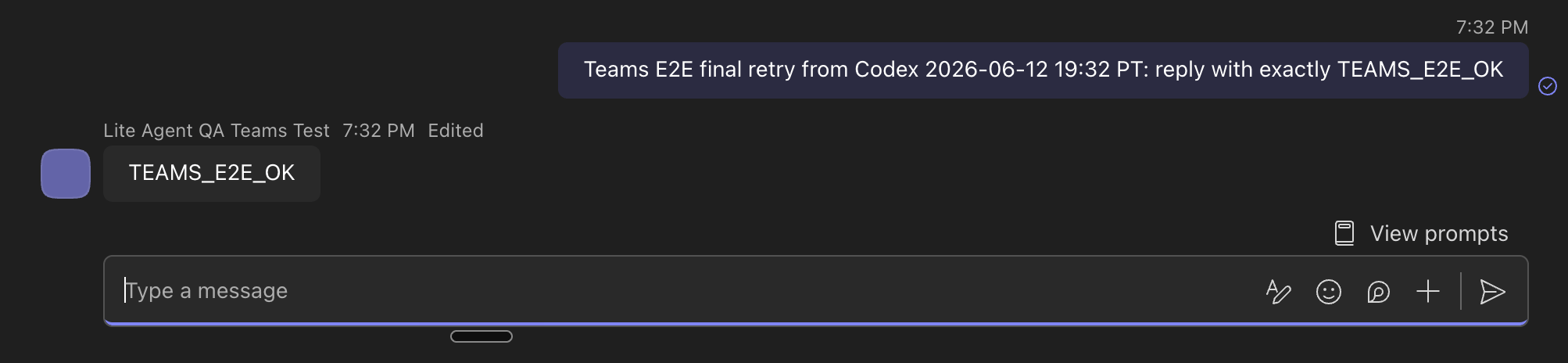
Troubleshooting
- No callback reaches LAP: Confirm the Azure Bot messaging endpoint uses the public HTTPS LAP URL and ends with
/api/agents/<agent-id>/teams/messages. - Teams upload is blocked: Custom app upload may be disabled. Use Teams admin center publishing.
- Unauthorized callback: Confirm the Microsoft App ID, tenant ID, and app password saved in LAP match the Azure Bot registration.
- Bot replies with an agent error: Confirm the agent runtime and model provider credentials work from the LAP UI before testing Teams.
Routing to different agents
Create a separate Teams app package for each LAP agent you want to expose. Each package points to its own/api/agents/<agent-id>/teams/messages endpoint.